
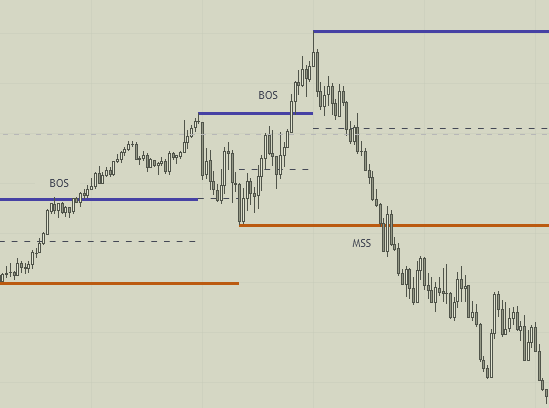
StructureShift Pro for TradingView: Market Structure Shift (MSS), Break of Structure (BOS), and ICT Logic Indicator
TradingView Market Structure Shift indicator – StructureShift Pro shows who is in control of the market and when that control shifts. It tracks breaks of structure, not just price movement, and marks Market Structure Shifts (MSS) and Breaks of Structure (BOS) using ICT logic. It is also available for Thinkorswim.
How StructureShift Pro Works
Bullish & Bearish Break of Structure (BOS)
- Bullish BOS: Price closes above the current structural high, confirming upward trend continuation.
- Bearish BOS: Price closes below the current structural low, confirming downward trend continuation.
Market Structure Shift (MSS)
- A reversal signal. It triggers when price closes beyond a key level against the prior trend, indicating a possible shift in market control.
The Rules
- The indicator tracks a range defined by a swing high and a swing low.
- A candle must close beyond the range to break it. Wicks and intrabar tests do not count.
- A break in the direction of the current bias is a BOS. A break that reverses the bias is an MSS.
- After each break, the indicator builds a new range from the latest swings and updates the bias.
Multi-Timeframe Structure
Calculate market structure on a higher timeframe and display it on a lower one, such as 15-minute structure on a 1-minute chart. Or calculate structure on the current chart timeframe. Choose either option in the settings.
Visual Components & Features
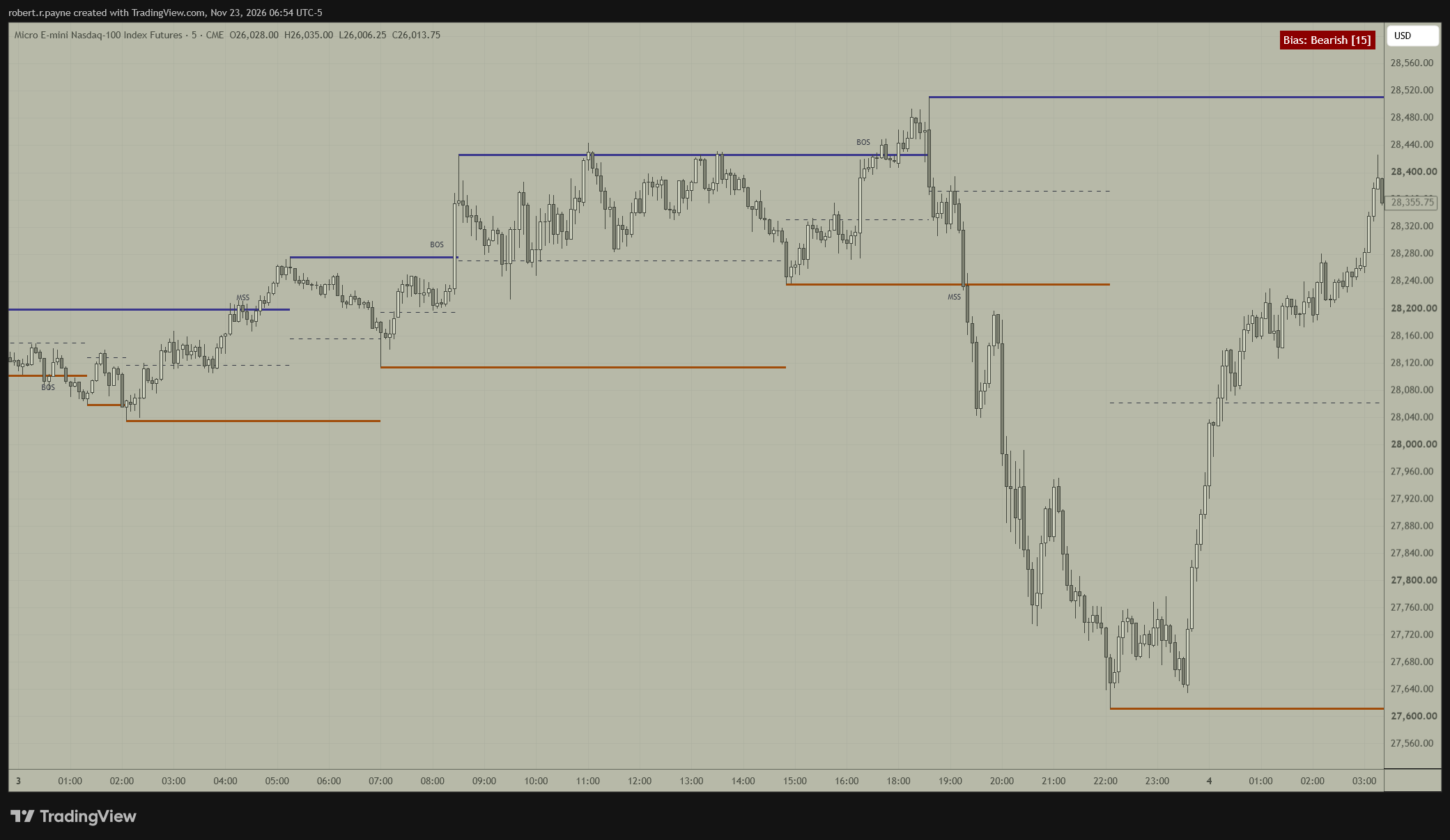
- Range High / Range Low Lines: Show the most recent confirmed structure levels, drawn from the bar where each swing formed. A close beyond either line sets a new directional bias.
- Midline: The halfway point between the range high and range low.
- BOS and MSS Labels: Text labels placed next to the swing level that was broken. Show or hide each of the four label types, and set its color and size.
- Bias Label: Reads Bullish or Bearish based on the current structure. Can be hidden.
- Line Settings: Set the width and style (solid, dashed or dotted) of the range high, range low and midline, and their colors.
How to Use StructureShift Pro
- During a trend: Look for BOS events in the direction of the trend to confirm continuation.
- After a stall: Watch for an MSS in the opposite direction to spot possible reversals and changes in control.
- Avoid false signals: The bias changes only after a full candle close beyond structure, not on wicks or intrabar tests.
- Trade fast, read slow: Put higher-timeframe structure on a lower-timeframe chart to execute on the fast chart while respecting the structure of the slower one.
Good to Know
- In multi-timeframe mode, structure on the current higher-timeframe candle updates until that candle closes.
- TradingView limits scripts to 500 lines and 500 labels, and to roughly the last 5,000 bars. Older history may not be drawn.
- StructureShift Pro describes structure. It does not give entries, stops or position size.
Who Is This For?
StructureShift Pro is built for price action traders, ICT strategy followers, and TradingView users who want a rules-based read of market structure. It works on intraday and swing charts, and can be used to confirm entries, continuations, or exits.
Please Note
- Send your TradingView username after purchase. I activate this indicator manually on each account. Use the username shown on your TradingView profile, not your email address. Access is activated within 24 hours.
- This is my only TradingView indicator. All other indicators on this site are for the Thinkorswim platform.